

Share this
by Tom Robinson on September 18, 2026
We teased RepSpark Flow earlier this year and explained a little bit about how this update was going to improve the wholesale operations of our brands and their retailers.
Now we can say the RepSpark Flow update is officially rolling out, and brands on our platform are beginning to turn it on for retailers.
Here’s a recap of what RepSpark Flow is and how it’s changing the RepSpark experience for brands and retailers.
-
RepSpark Flow is the most significant update to the platform in the nearly 20 years the company has been helping sales reps, brands, and retailers work together.
-
The people who use RepSpark will not have to relearn their entire process; it’s still the same tool that our users know, but it’s been rebuilt to be more accessible, more intuitive, and a lot more capable.
-
Existing users should get comfortable with the update in no time, and new retailers and brands on the platform will spend less time training and getting oriented with this version of RepSpark.
-
There’s a lot to cover, and we’ll provide updates for the next several weeks, but today we want to focus on the main navigation pages that brands and retailers on RepSpark use every day and how we’ve improved them with the Flow update.
Here’s what’s new with Products, Orders, Order Forms, Assortments, Catalogs, and Files.
After you look through the new features, you can reach out out to your account manager directly or to our Account Management team to learn how to migrate onto the Flow update.
Discovery That Keeps Up With You
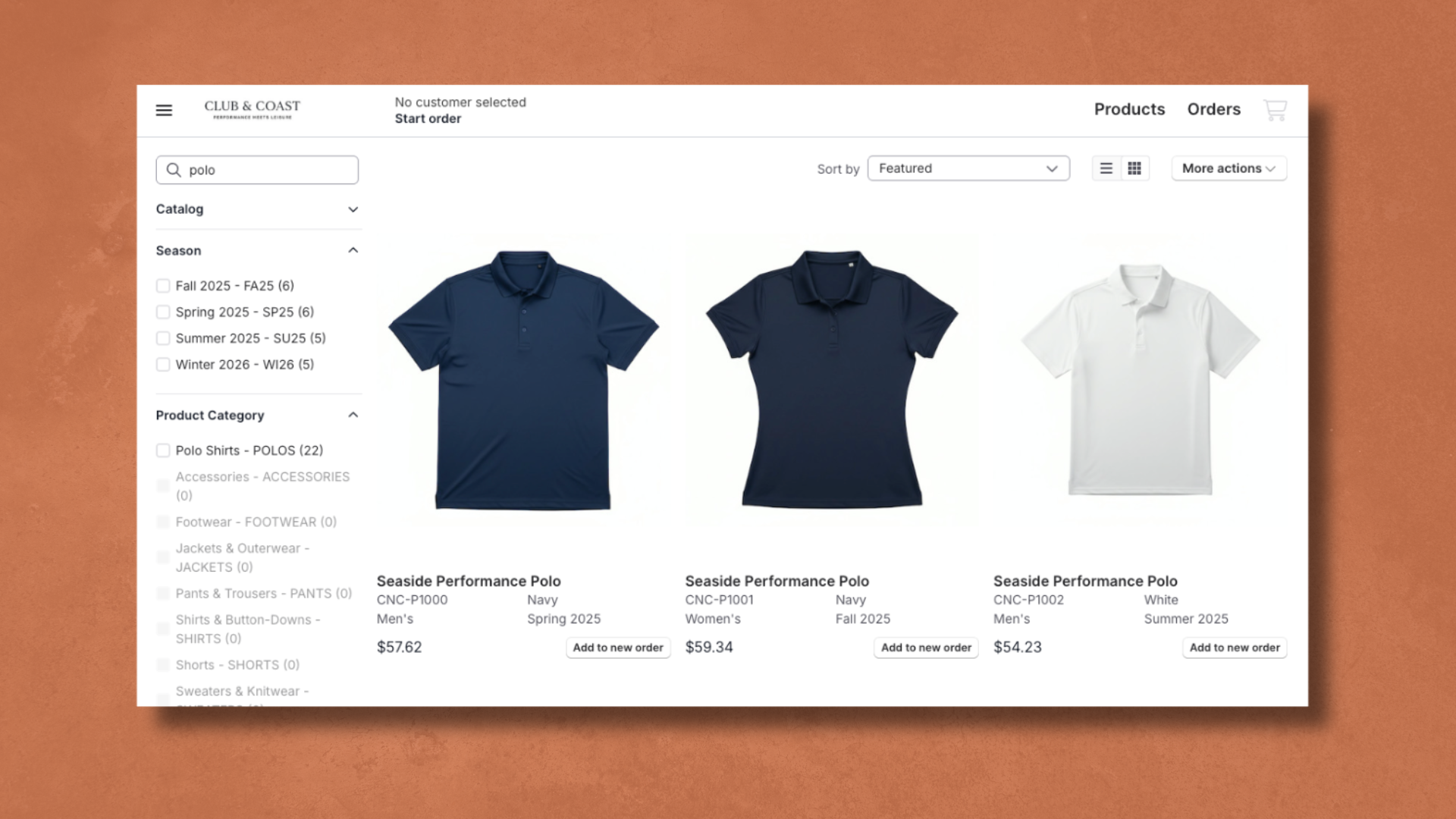
The Products page got a real upgrade. Search now returns results the moment you start typing, and filters update instantly too.
Filters also show you a live forecast of how many products match, and if a combination would return zero results, that option simply won't be selectable. It's a filtering experience that's hard to get wrong.
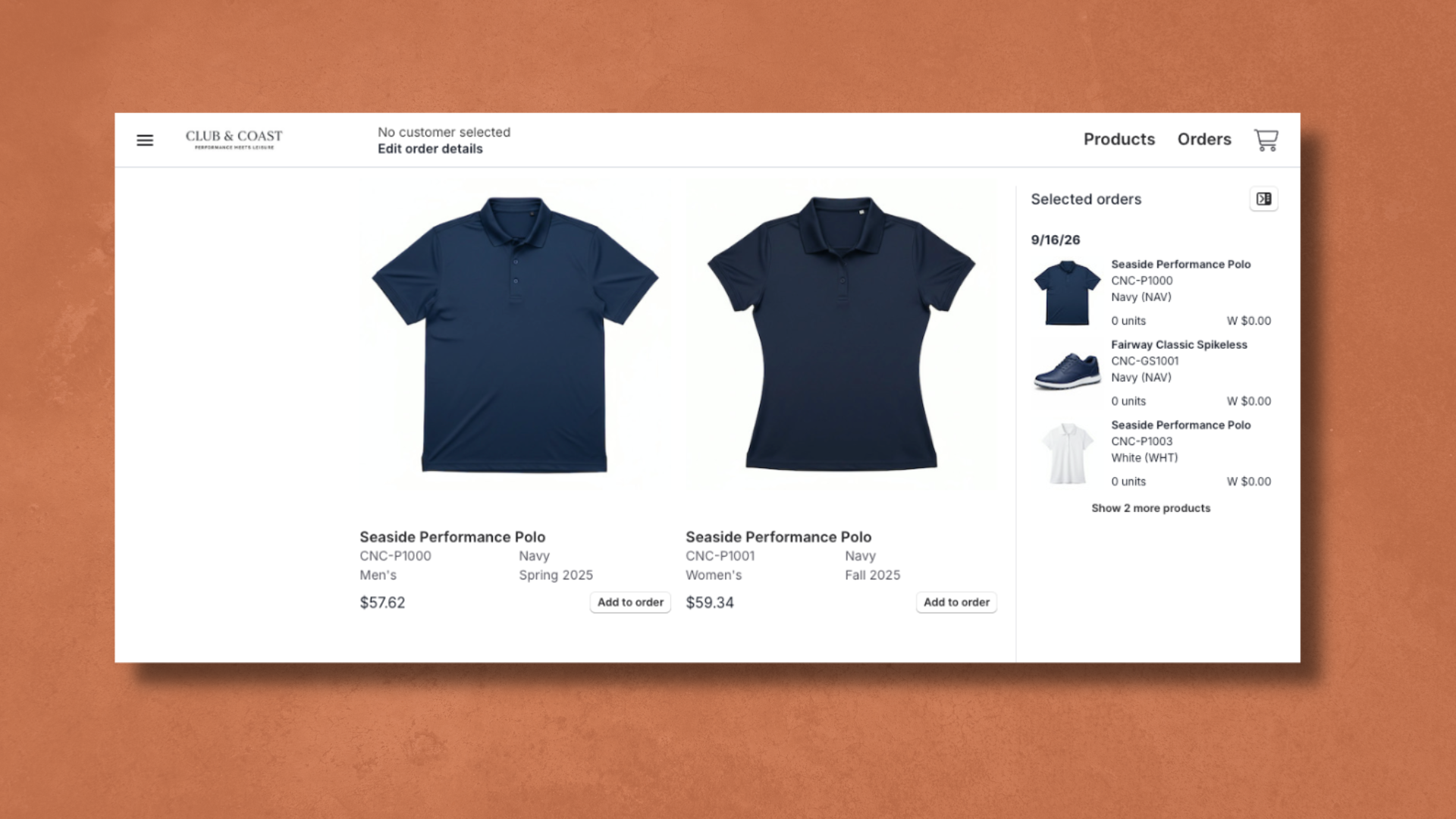
Beyond browsing, this is where the always-on cart comes to life. Your order now follows you across the platform. Hop from Products into an Assortment to grab one more style, and everything you've already added stays right where you left it. Only a handful of actions, like exiting an order outright, will clear your cart.
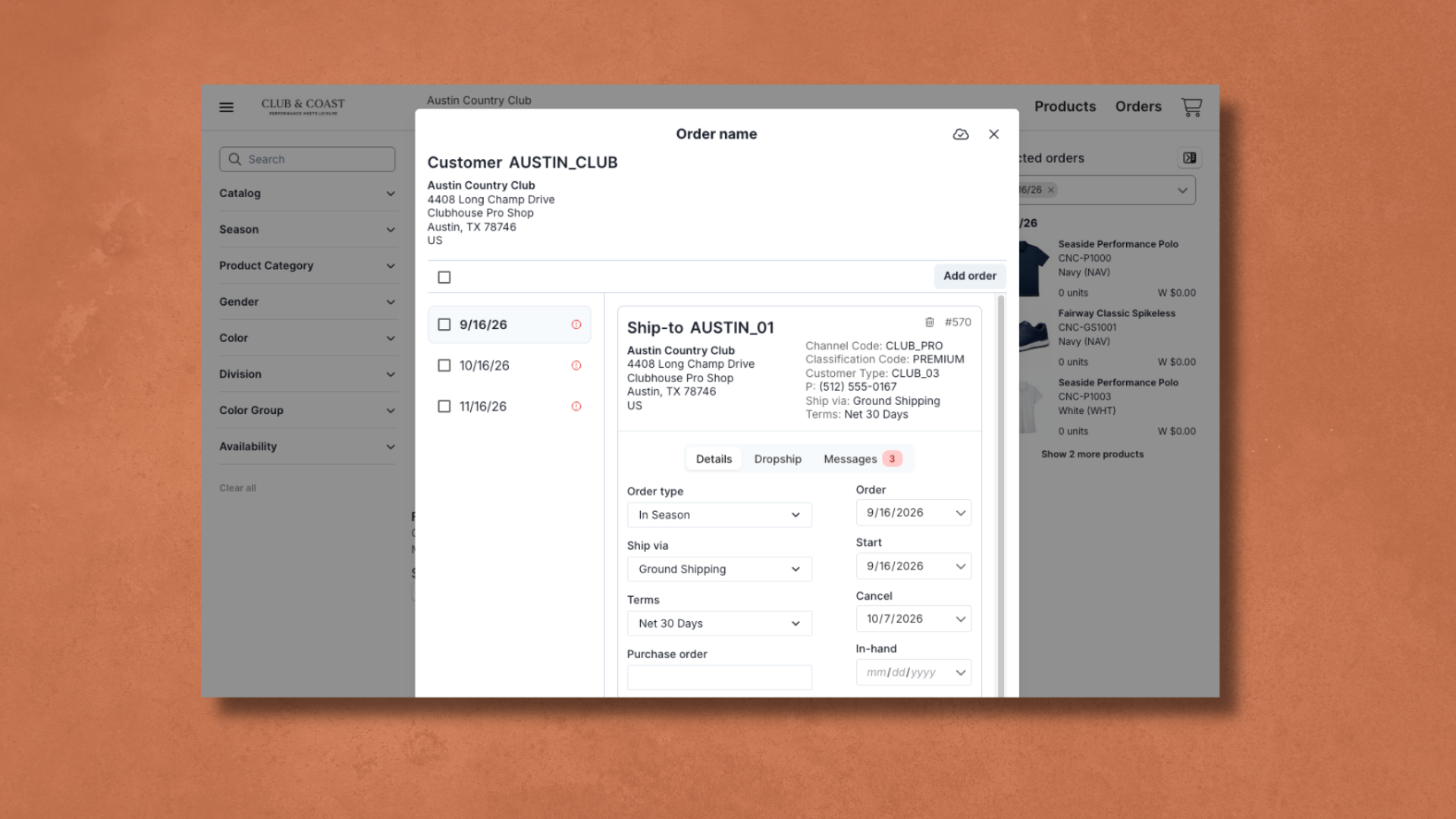
We also rebuilt how you build orders. You can now stand up multiple orders for the same customer in one pass. This means you can add different ship dates, different ship-to accounts, different order types in the same order, instead of running them one at a time.
Address entry now works like the e-commerce sites your buyers already use, with autocomplete suggestions instead of guesswork. And the cart itself picked up some real quality-of-life wins: quick-edit order details without leaving the page, the ability to copy quantities across similar products or across multiple orders at once, size availability forecasts, and several ways to view your cart, such as: Orders, Pivot, or a cost-breakdown Summary.
Before you submit, the review page now consolidates anything still outstanding so nothing slips through, and your confirmation page gives you one-click options to start a new order, copy the one you just placed, or export it as a PDF or image set.
A Command Center, with AI Watching Your Back
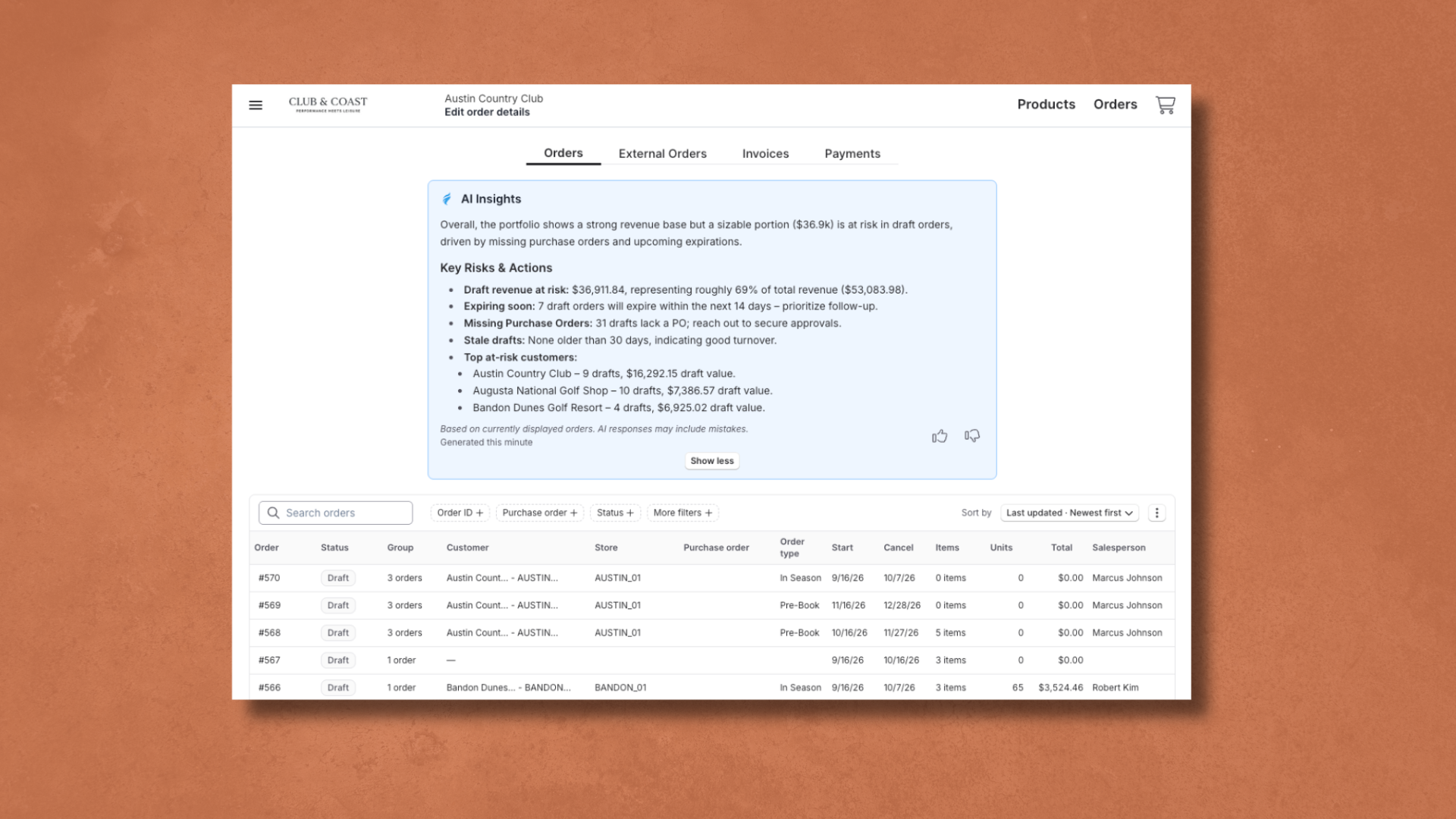
The Orders page brings four views into one place: Orders, External Orders, Invoices, and Payments.
The orders page shows all the orders that have gone through RepSpark. For people who’ve used the Legacy version of RepSpark, this section of the orders page will look familiar with the exception of two main additions.
We have introduced order groups, a new way of tying related orders together, the same customer across multiple ship dates, multiple stores, or multiple product lines, so you're looking at the full picture instead of a scattered list.
And, we’ve added AI Insights, a whole new, AI-powered, tool meant to bring quick actionable data whenever you check on your orders.
Instead of digging through every account manually, you get surfaced, actionable information right at the top of the page. The type of insights you get includes, which accounts have gone quiet, how many orders are sitting in draft, when those drafts were last touched, and more. It's a co-pilot to your wholesale operations.
External Orders shows orders made outside or RepSpark, you can access a record of your invoices, see their status, and pay them from the Invoices tabs.
The Payments Tab allows you to view the status and information connected to payments made to you.
Build and Share Curated Lists of Your Products
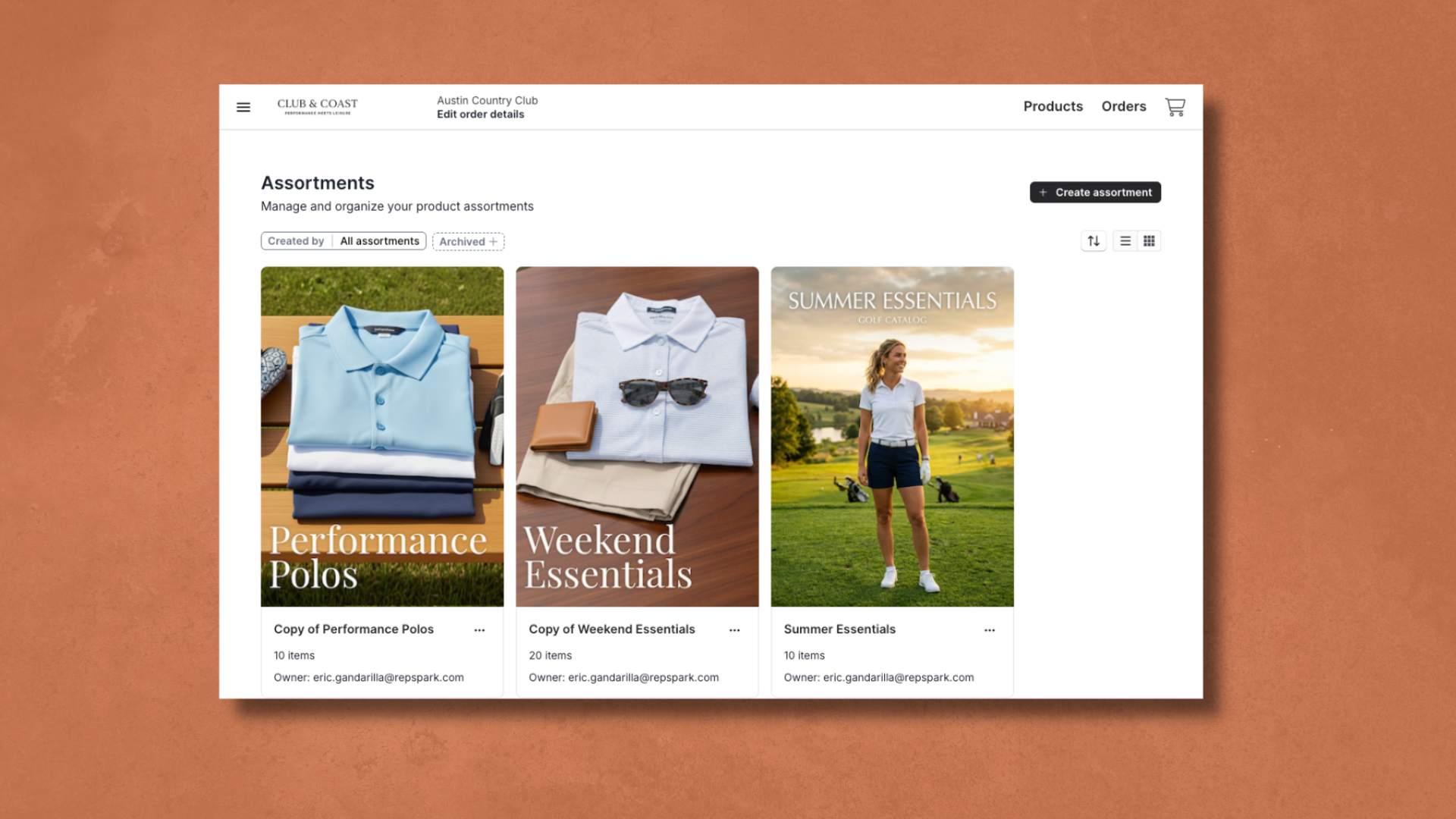
The Assortments page brings an updated assortment builder that’s much simpler to use and share. Building an assortment is easy: name it, describe it, set a cover image, hand-pick or bulk-add products, and control exactly who can see and use it.
You can share a live, interactable link to your assortment on RepSpark or you can download any assortment as a polished, shareable PDF, with control over aspects of it such as products per page, which details, and whether pricing shows up.
You can also now archive assortments. In Legacy, deleting was the only option. Now an archived assortment is simply out of your main view; it's never gone, and it's one click away from being restored.
A Revamped Way of Building Digital Catalogs

The Catalogs page received one of the biggest functional upgrades of the release. The new catalog builder makes creating one dramatically easier: import an existing PDF and RepSpark automatically detects its size and page count, then tag products directly onto the page by linking them to your live product database.
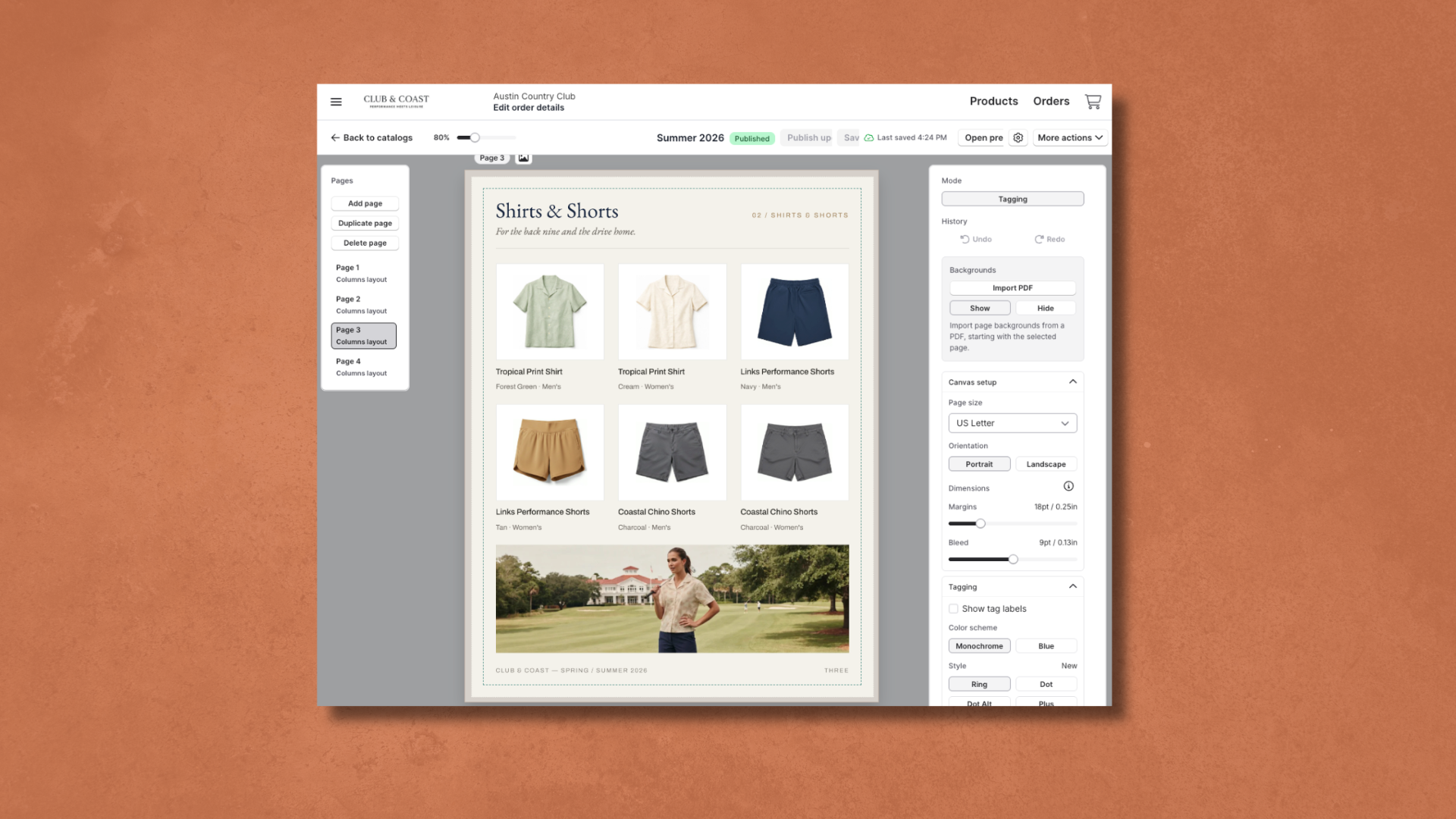
Once published, every catalog gets a shareable link tied to a specific pricing tier. Choose a different tier and you get a fresh link, so you're always in control of what someone sees when you share a link with them.
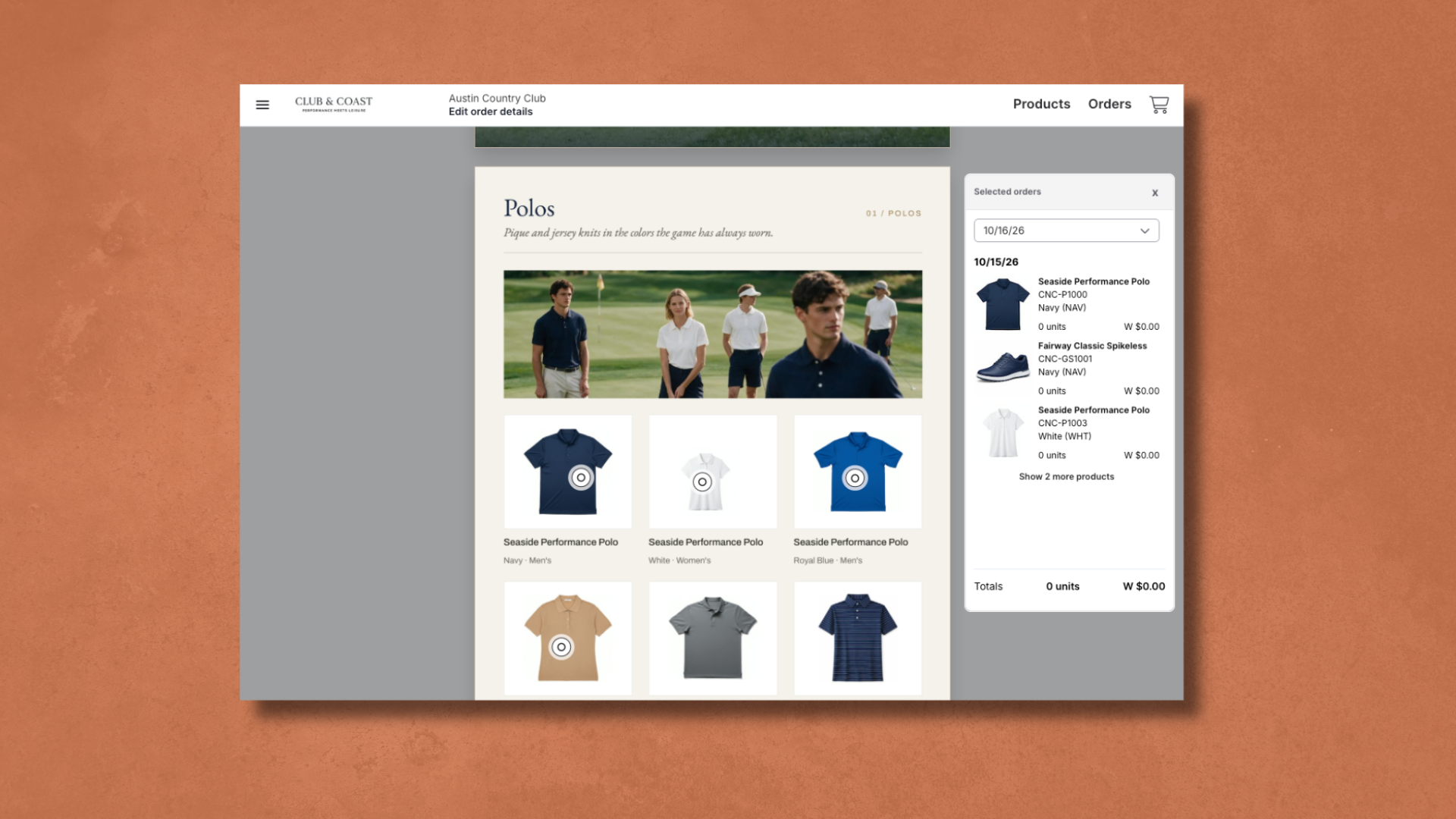
Your buyers can browse your catalogs and easily add products to a RepSpark order straight from the catalog.
One Home for Every Asset, Fully Organized
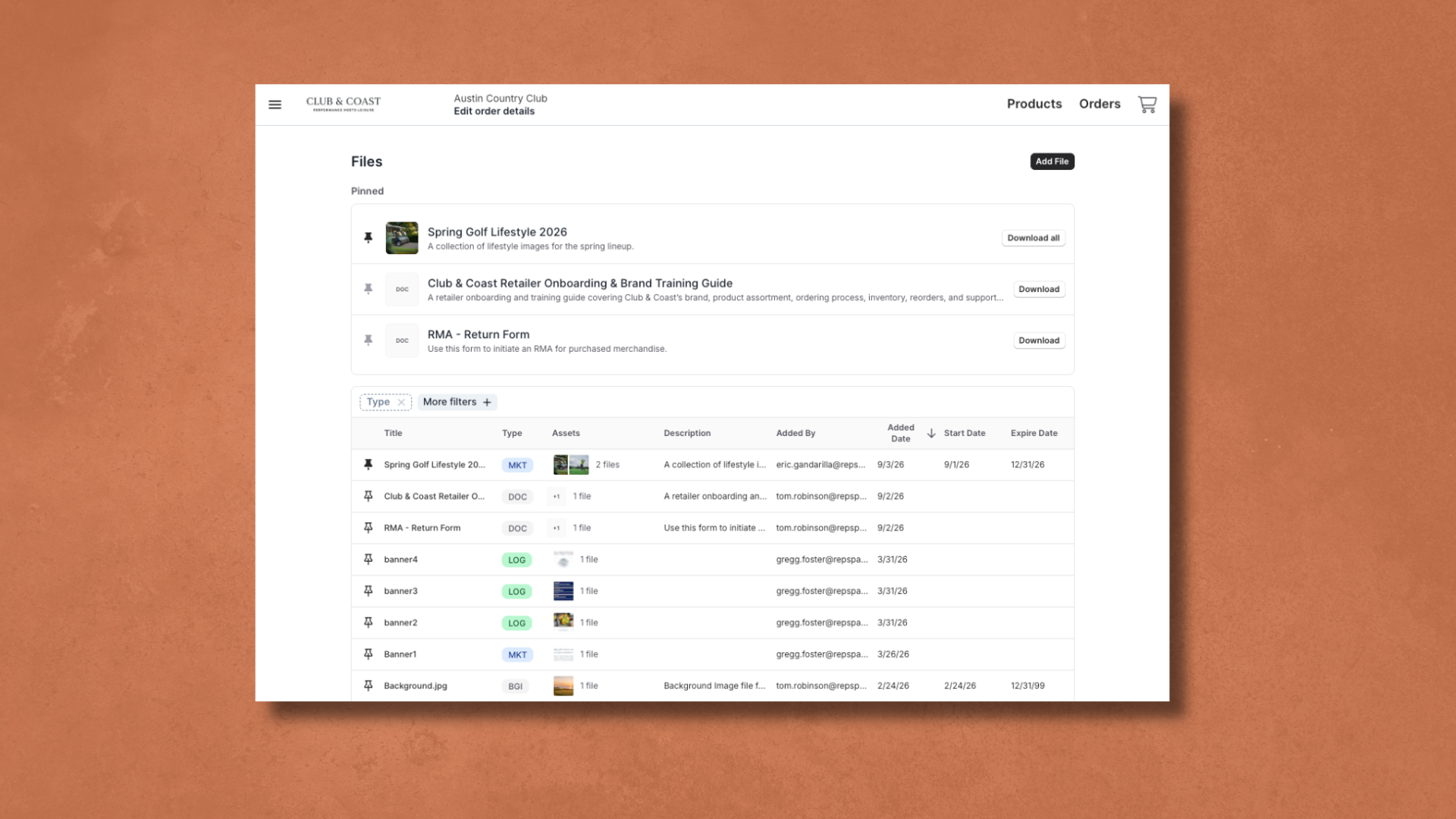
The new Files page (RepSpark's answer to marketing asset management) brings every file for a brand and its users into a single, organized hub.
Use the new Files page to create a library of assets that your retailers can use for their marketing efforts. Control who can see what images and set data ranges of when images can be accessed to ensure your retailers are using campaign-appropriate images.
You can set who can see what, based on their role and include multiple assets into a single file to cut down on clutter.
One main standout, that wasn’t available on Legacy RepSpark is pinning. Any user can pin a file to keep it at the top of their own view, and admins can pin a file for an entire role, so the things your team and retailers need most are never buried.
We rebuilt every one of these pages around the same ideas. We want our users to save time on every click, make products and information easier to find, and let brands handle more volume without adding more work.
When ordering flows, relationships grow, and we truly believe the RepSpark Flow update will help brands accomplish this.
If you’re curious about enabling RepSpark Flow, reach out out to your account manager directly or to our Account Management team.
