

PERFECTSPEC™
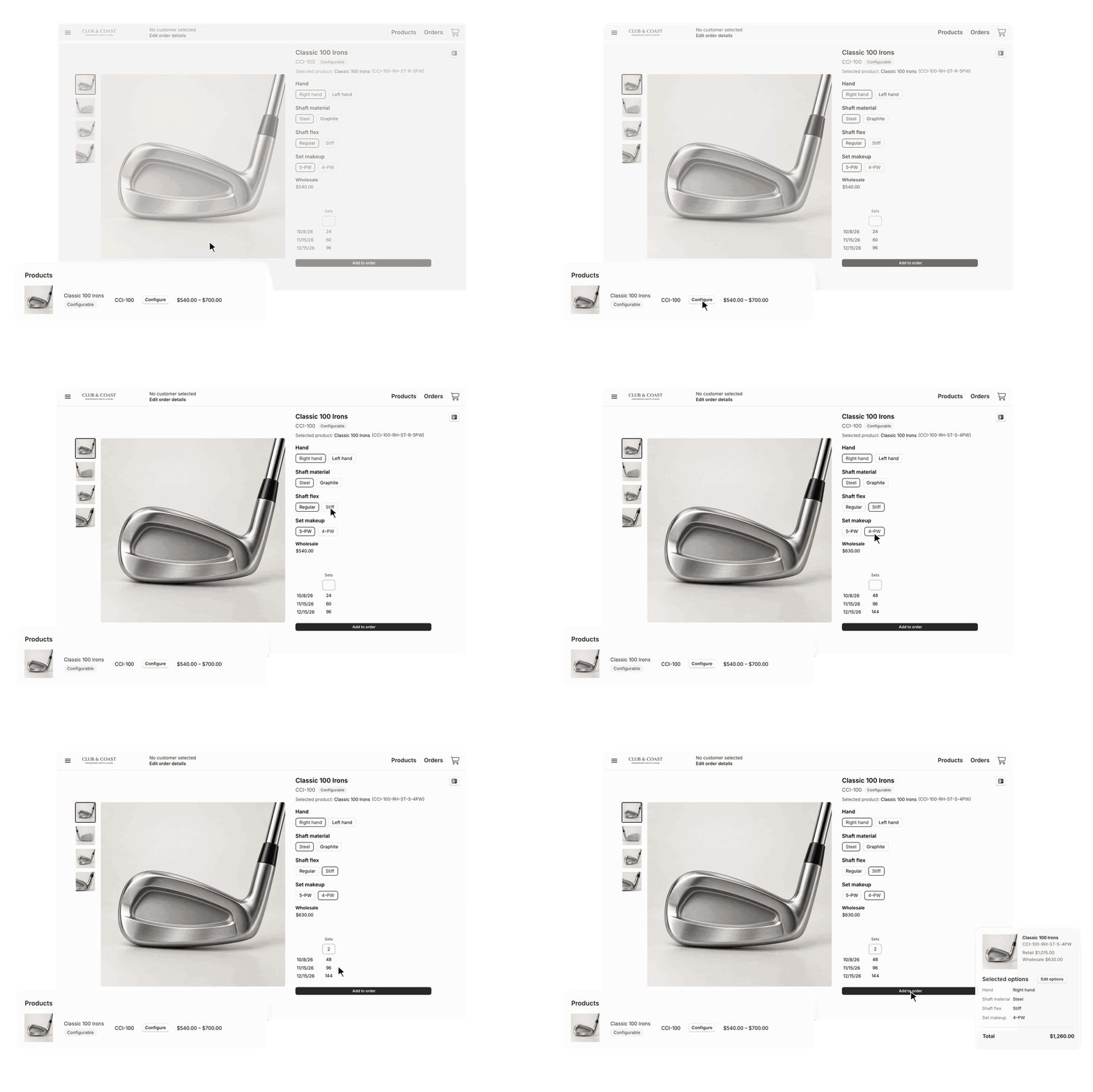
Buyers configure the exact product from one listing.
Clubs, bags, and other configurable products come in dozens of combinations. PerfectSpec puts every one of them on a single product page, so buyers choose their options and order exactly what they need.
Built for Products Sold in Many Combinations
Golf Clubs
Hand, shaft material, shaft flex, and set makeup, chosen on one page instead of across dozens of SKUs.
Golf Bags
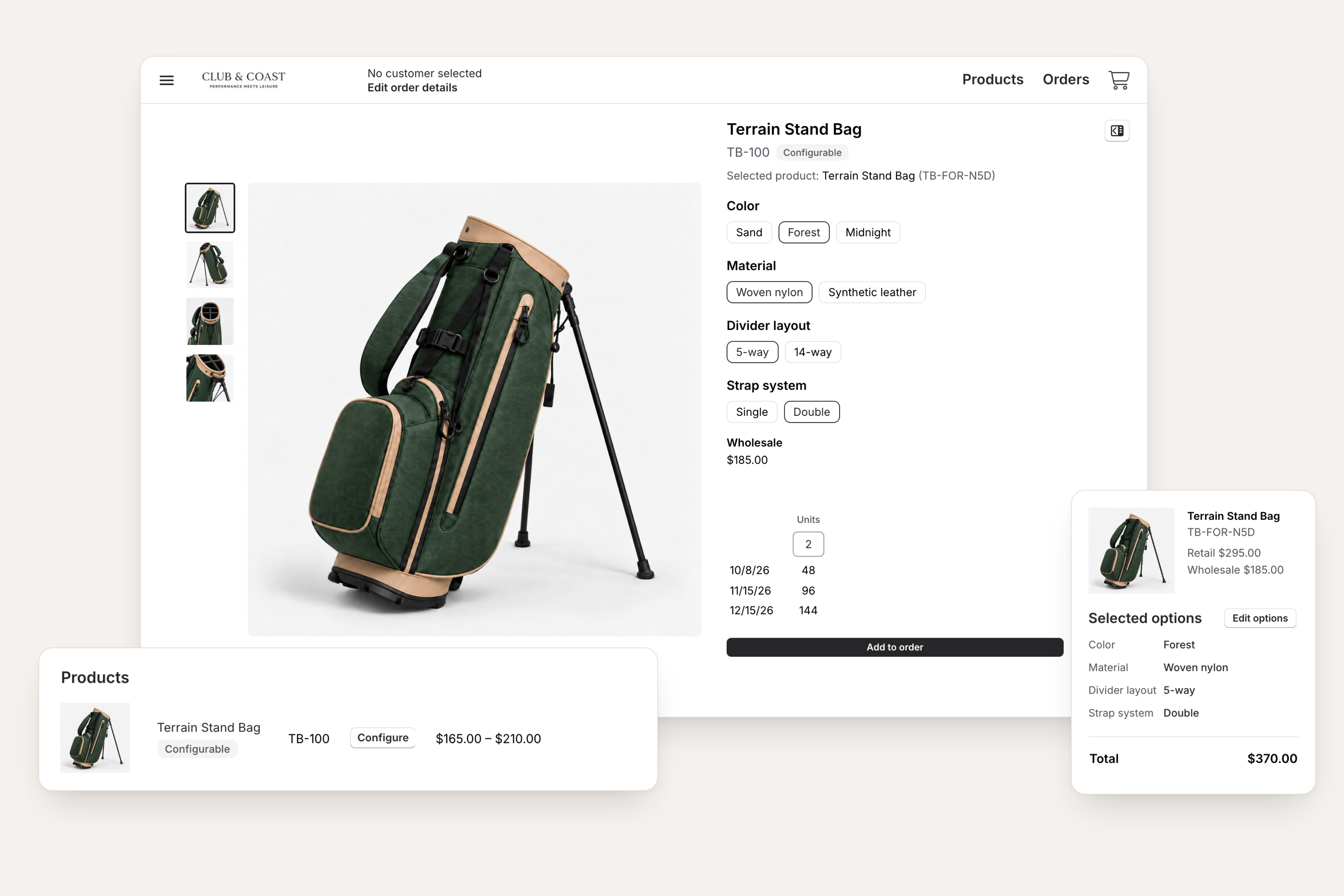
Color, material, divider layout, and strap system, with the price and availability for each combination.
Tactical and Duty Gear
Packs, belts, and duty rigs by colorway, size, buckle type, and attachments, so a department orders to its standard.
Other Configurable Products
Putters, carts, and other products with several options use the same buying experience.
How PerfectSpec Works
1
Find It Once
Each configurable product appears once, with the buyer's price range. Buyers can search by name, option, or product number.
2
Choose the Options
Buyers pick an option for each attribute. Price, product number, images, and availability update with every choice.
3
Order the Exact Configuration
Buyers enter quantities and add it to their order. Every option they choose shows on the order.
End the Scroll Through Look-Alike Listings
Every configuration, grouped into one listing.
When each combination is its own product, buyers wade through near-identical rows to find the one they need. PerfectSpec shows the product once, with one price range, and search finds it by name, option, or product number.
Show Only What You Actually Make
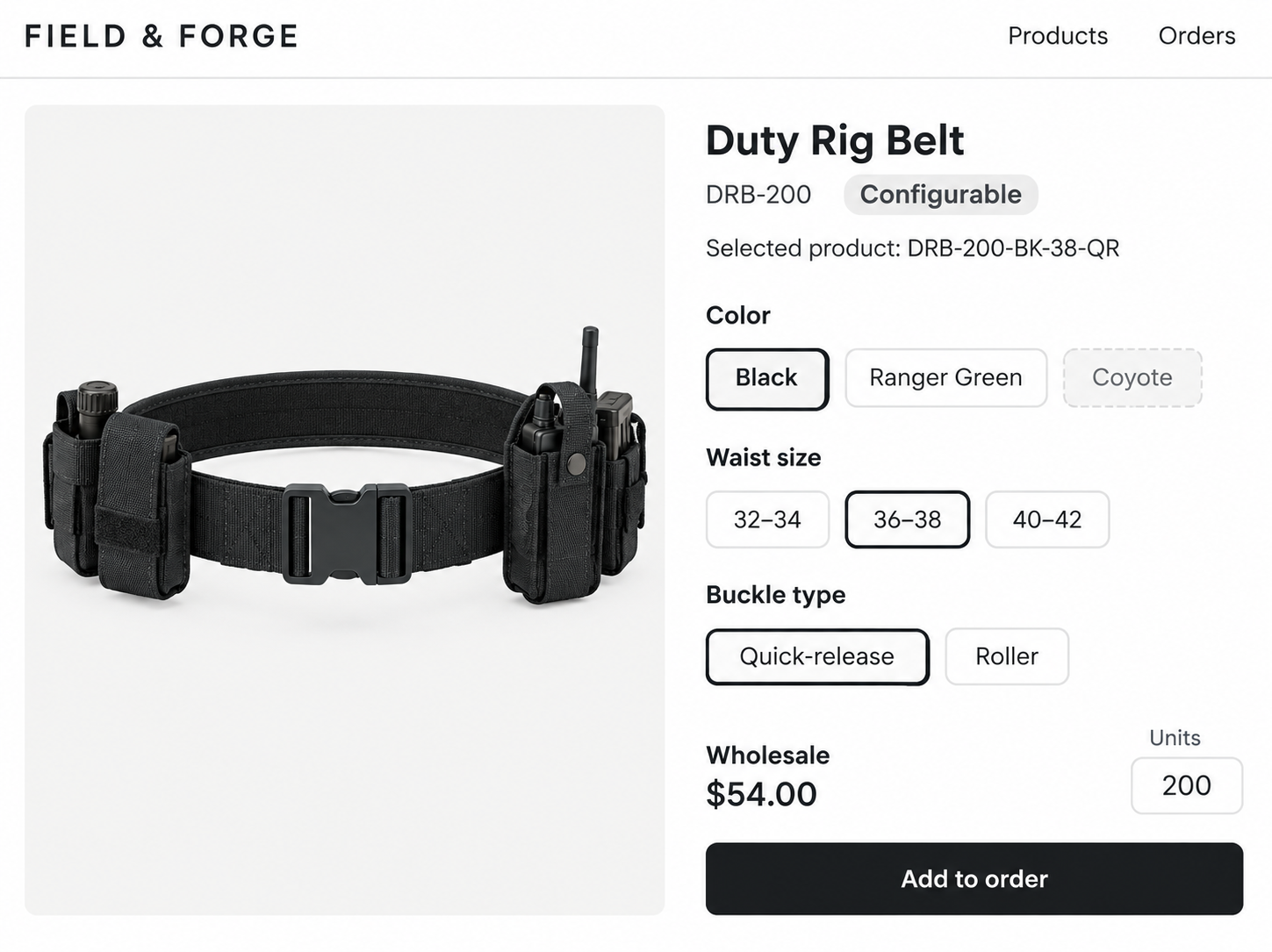
No orders for combinations that don't exist.
Option combinations you don't offer are grayed out, so buyers can only choose what you sell. Filters return only products that come in the combination a buyer is looking for.
Everything Buyers Need to Order with Confidence
Exact Price and Availability
Each choice shows the buyer's price and availability dates for that configuration. Products with sizes still take a size run.
Several Configurations, One Visit
Add a right-handed set, switch to left-handed, and add again without leaving the page.
Fewer Order Corrections
Every option chosen appears on the order and confirmation. On a draft order, Edit options switches a configuration without re-entering quantities.
Built into RepSpark Flow
No custom code or plugins. Each configuration is the SKU you already use, so orders reach your systems the same way they do today.
Frequently Asked Questions
What is PerfectSpec?
PerfectSpec is configurable ordering built into RepSpark Flow. Products that come in many combinations appear once, and buyers choose their options on the product page.
What kinds of products can use PerfectSpec?
Products sold in combinations of options. PerfectSpec was built first for golf clubs, and golf bags, putters, carts, and other configurable products can use it too.
Can buyers order more than one configuration at a time?
Yes. Buyers can add a configuration, change options, and add another without leaving the page. Each configuration is its own item on the order.
Can a buyer change a configuration after adding it?
Yes. On a draft order, Edit options switches the item to a different configuration. It's repriced, and the quantities carry over.
How do I set up PerfectSpec?
Your product data needs to define each product's options in the format PerfectSpec uses. Contact your Account Manager to get started.
Is PerfectSpec included in my RepSpark plan?
Yes. PerfectSpec is built into RepSpark Flow and included in your plan, with no separate pricing or packaging.
Ready to sell configurable products in Flow?
See PerfectSpec™ in a live demo with our team.
